Quick start
Surfe API gets you all the information you need for the next account you want to close. Let's get you set up swiftly!
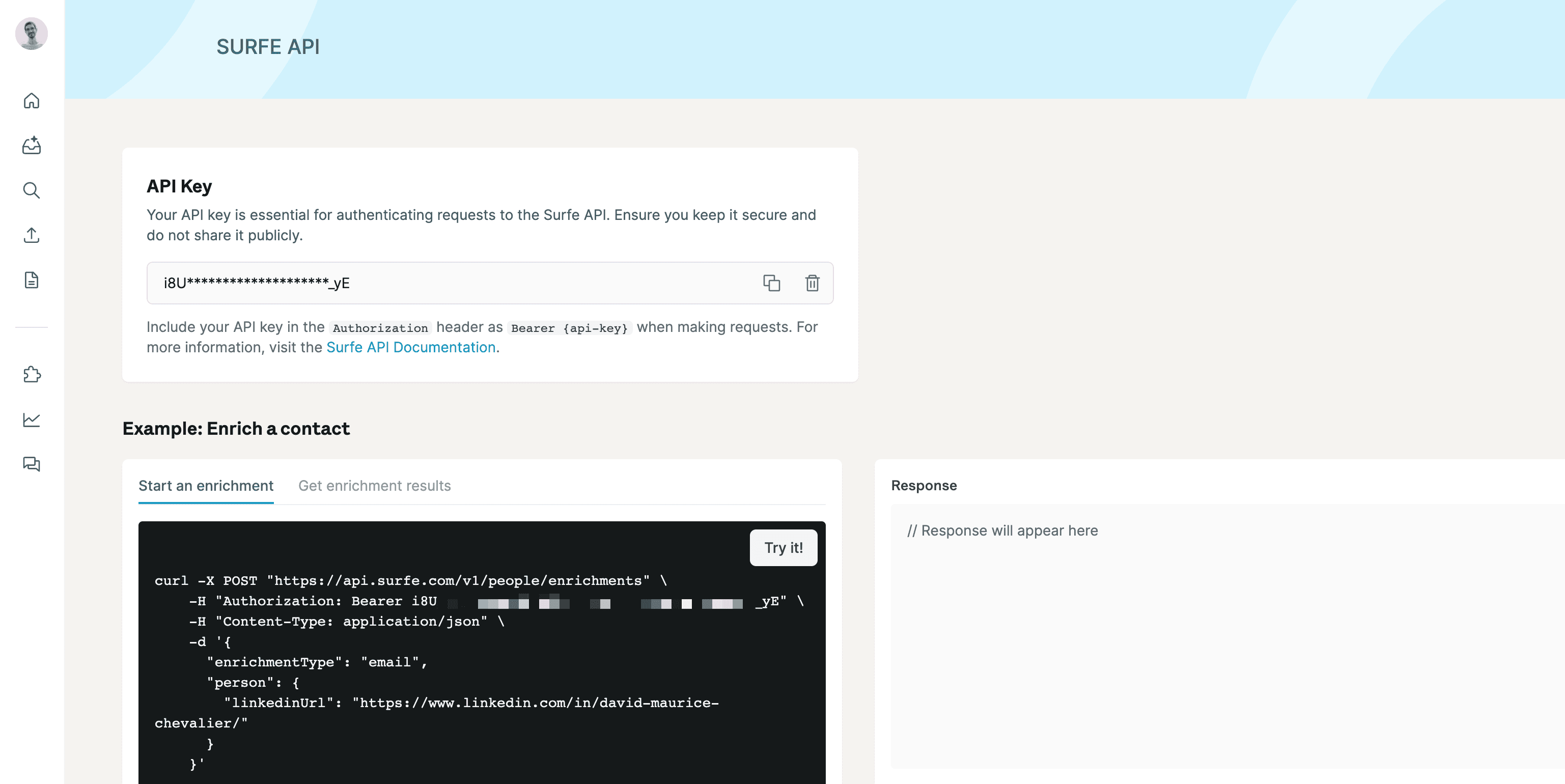
Surfe's API uses a user-specific API Key for authentication, which you can manage through the Surfe dashboard. Once you have your key, just include it in the Authorization header (Bearer {api-key}) when making requests.
Set up the API
Create a Surfe account
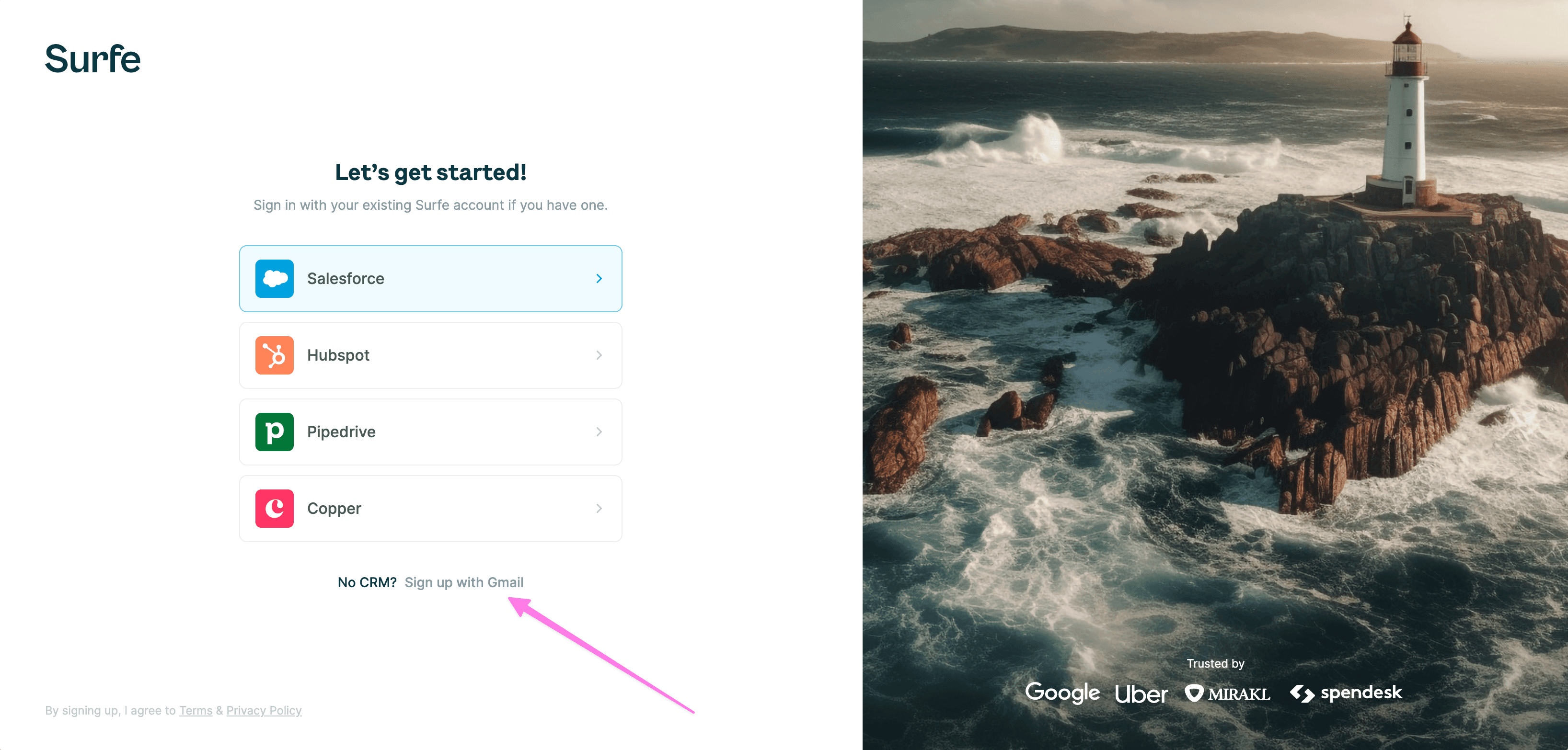
Go to API Settings, if you don't have a Surfe account, you'll be asked to create one. You can connect with your CRM or GMail address.
Get your API Key
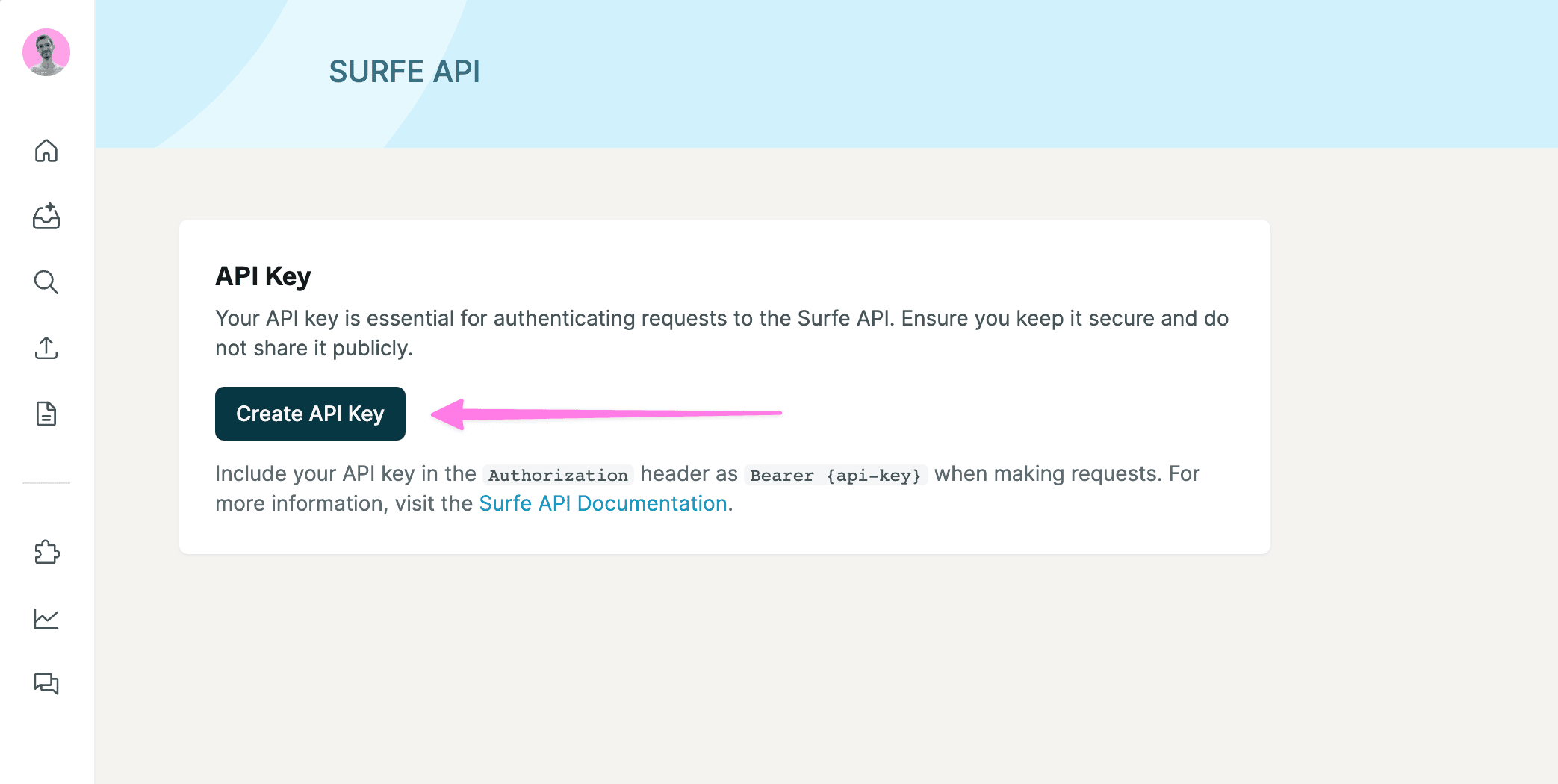
In the API settings, generate the key.
Most used endpoints
Search for people
Input your persona filters and get a list of people that fit the criteria.
Enrich people
Input a list of users and get their email, mobile numbers and LinkedIn information.
Search for companies
Input your ICP filters and get a list of companies that fit the criteria.
Enrich companies
Input a list of websites to get their address, employee count, revenue, industry, and more.
Good to Know
Credits
There are 3 types of credits—one for emails, another for mobiles, and one for searches. To see how many credits you have left, head over to Surfe App. You can buy more credits through this link, or contact us to get more search credits.
If you run out of credits, Surfe returns 402 Payment Required. If you exceed your daily quota, Surfe returns 403 Forbidden.
Daily Quotas
Daily quotas vary by endpoint—from 200 results/day on search endpoints up to 50,000 profiles/day on people enrichment. See here for the per-endpoint breakdown.
Quotas reset daily at midnight (user's local time).
Contact us if you need higher limits, we'll be happy to accommodate!
Rate Limits
Up to 10 requests per second, with bursts up to 20.
Surfe returns 429 Too Many Requests if this is exceeded.
Responses
Surfe uses standard HTTP codes: 2xx (success), 4xx/5xx (errors).
Response bodies are JSON. Error responses include a message field that explains what went wrong.